
Sora by OpenAI
OpenAISocial
4.612.61K Reviews
- Version
- 1.2026.064
- Installs
- 1.00M
- Age Rating
- Teen
Screenshots
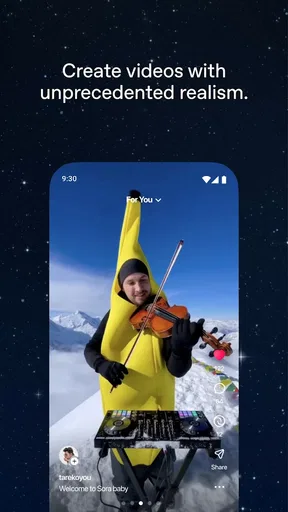
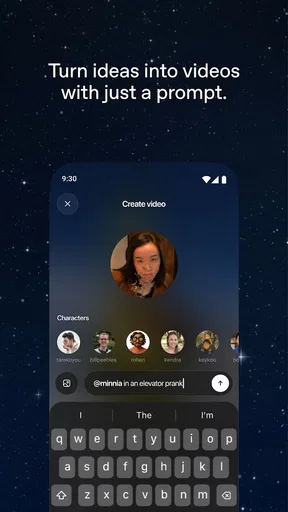
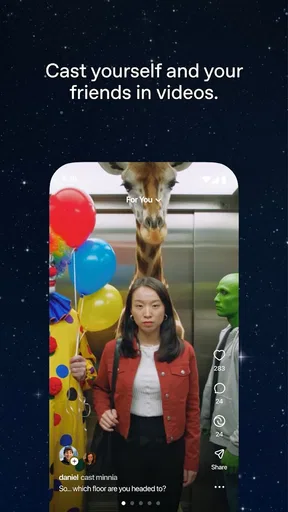
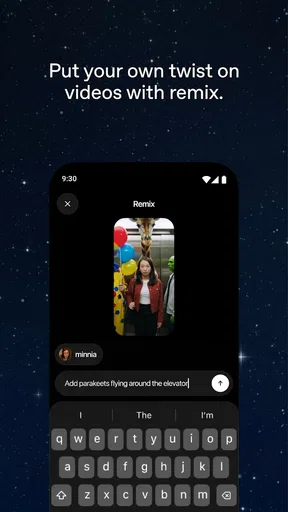
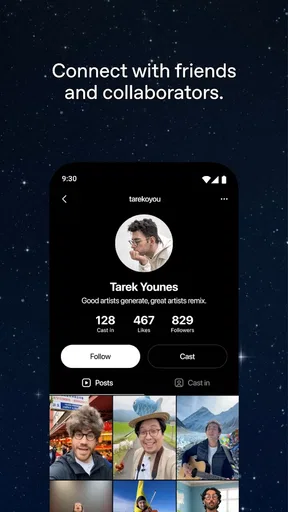
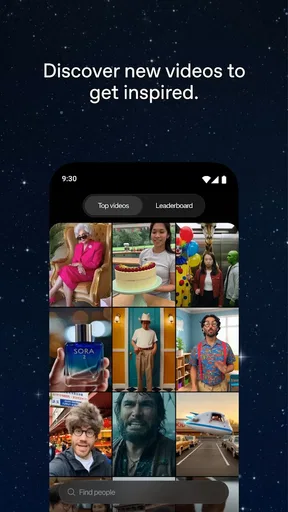
Our Review of Sora by OpenAI
 Analysis by Appyee
I’d approach Sora with one clear expectation: it is a social video app centered on AI-generated video, not a general-purpose personal assistant. That distinction matters before you install it. If you’re curious about turning a written idea into a short visual concept and seeing what an AI video tool can do, it’s an interesting place to start. If you mainly want reminders, weather, or breaking news, I’d choose a different kind of app.
OpenAI is the developer, and the app is free to download, with in-app purchases listed at $4.00 per item. It has a 4.6 average from around 80,000 ratings and over a million installs, which suggests plenty of people are giving it a try. Its Teen age rating is also worth noticing if you’re deciding whether it’s suitable for a younger user; I wouldn’t treat an age label as a substitute for a parent’s own judgement about social and generated video content.
What to expect from a video-first social app
The simplest way to think about Sora is as a place to explore AI video creation in a social setting. The appeal is not just watching clips or browsing a feed; it is the possibility of using a description as the starting point for a moving image. That makes the app more relevant to someone with a visual idea than to someone who only wants a polished editing timeline for footage they have already filmed.
Compared with a typical social video app, where the main activity is recording, trimming, adding effects, and sharing camera footage, Sora shifts the creative starting point toward a prompt. Compared with a conventional AI chat app, it puts video rather than a text answer at the center. That difference changes how I’d use it: I’d arrive with a scene to explore, not a question that needs a factual answer.
Getting started without overthinking it
On Android, the app’s minimum operating-system requirement is version 7.0, and its current version is 1.2025.351. After installing it, I’d take a moment to look around before trying to make something ambitious. A first session is easier when you treat it as an experiment: choose one simple visual idea, describe the subject and setting plainly, and see what the result suggests for a second attempt.
That small approach is more useful than writing a long, elaborate prompt straight away. If you’re imagining a quiet street at dusk, for example, start with the street, the time of day, and the mood. Then decide what needs changing after you see the result. This gives you a clearer sense of how your wording affects the video, without making it hard to tell which part of a complicated prompt caused an unexpected outcome.
From first prompt to a useful result
For a realistic everyday use, imagine you’re planning a themed post for a club, a personal project, or a small event. You have a rough visual in mind but no camera setup or finished footage. I’d use Sora to test the mood and composition first: create a simple concept, review whether it feels close to the idea, and refine the description before deciding if it belongs in the final post.
That makes it a useful sketching tool, not necessarily a replacement for filming or a full editing workflow. A generated clip can help you communicate an idea, make a playful post, or explore a visual direction. If accuracy, continuity, precise timing, or a specific real-world detail matters, I’d check the result carefully and use a more controlled video editor or a camera-based workflow instead. The main practical tip is to treat each generation as a draft to judge, not as a guaranteed final asset.
Getting Started with Sora
First things first, downloading and setting up Sora by OpenAI is a breeze. Available for both Android and iOS, you can snag it from the usual app stores. Once you fire it up, you’ll be greeted with a sleek and intuitive interface that makes it easy to dive right in.
The app is designed to be your go-to source for information, helping you find answers to questions, manage tasks, and even entertain you with fun facts and trivia. The setup process involves a quick walkthrough of its features, and soon enough, you’re ready to explore.
Exploring the Features
Now, this is where things get interesting. Sora isn’t just about answering questions; it’s about enhancing your everyday life. Whether you need to set reminders, check the weather, or get the latest news, Sora has got your back. The voice recognition feature is surprisingly accurate, making interactions smooth and efficient.
One feature that stood out to me was the ability to learn from your interactions. The more you use Sora, the better it gets at understanding your preferences and needs. It’s like it’s reading your mind—but in a non-creepy way! This personalization aspect really sets it apart from other personal assistant apps.
Performance and Usability
In terms of performance, Sora is pretty darn responsive. I’ve tried throwing some curveball questions at it, and it handles them like a champ. The app’s speed and accuracy are impressive, ensuring you get the answers you need without frustrating delays.
Usability is another strong suit. The interface is clutter-free and intuitive, making it easy for anyone to navigate. Whether you're tech-savvy or a complete newbie, you’ll find using Sora to be a seamless experience. Plus, the visual design is quite pleasing, which is always a bonus in my book.
When another tool is the better choice
I’d recommend Sora most readily to people who enjoy experimenting with AI-generated video and who don’t mind reviewing and revising a result. It may suit a creator looking for a visual starting point, or someone who wants to play with an idea before committing time to filming. The social angle can also appeal if seeing how people use a video-making tool is part of the fun.
I’d skip it if your priority is dependable utility rather than creative exploration. For editing existing footage, a standard video editor gives you direct control over cuts and timing. For a quick clip of a real person, place, or event, recording with your phone is more predictable. And if you want conversational help with everyday questions, a chat assistant is a more natural fit than a video-focused social app.
One useful habit is to separate the idea from the execution. First decide what you want a clip to communicate; then make the prompt describe only the key visual elements. After reviewing the result, change one aspect at a time—such as the setting or atmosphere—rather than rewriting everything. That makes experimentation easier to judge and helps you avoid spending effort on a version that was never close to your goal.
Small trade-offs that shape the experience
AI video is an exploratory medium, so I wouldn’t assume that a clear prompt always produces a precise, repeatable result. The more a project depends on exact details, consistent visuals, or a carefully timed sequence, the more likely you are to need another tool or a human-led editing process. Sora is better approached with room for surprise than with a strict production checklist.
It is also worth thinking about where a generated clip will go before you make it. A playful concept for personal sharing has different stakes from material intended to represent a business, explain a real event, or make a factual claim. I’d review a clip for misleading details and unintended impressions before sharing it, especially when viewers could mistake an invented scene for real footage.
The free download makes trying the app a relatively easy first step, but the listed per-item in-app purchases mean I’d check the purchase details in the app before assuming every option is included at no cost. I’d begin with the basic experience and decide whether I actually enjoy the creation process before paying for anything. The important question is not how many possibilities the app suggests, but whether its results fit the way you want to make and share video.
Who is likely to enjoy it
Sora is a stronger match for curious visual thinkers than for people who want a predictable tool with a narrow job. If you like testing alternate moods, imagining scenes, or sharing creative experiments, the prompt-led approach can be rewarding. It may also help someone who struggles to explain a visual idea in words to produce a rough reference that gets a conversation started.
It is less compelling if you rarely make or watch video, dislike iterative tools, or need precise control over every frame. A social app can also feel like unnecessary overhead if all you want is a private production utility. In that case, a dedicated editor or another tool designed around your specific task may be a better use of your time.
For a first-time user, I’d keep the first session modest: try one scene you can describe in a sentence, inspect what feels right and what does not, and make a deliberate second attempt. That gives you a practical sense of the app’s creative rhythm without treating it as magic or expecting a finished campaign from your first idea. If you enjoy that back-and-forth, there is a reason to keep exploring; if you don’t, the social video format may simply not suit you.
Final Thoughts
So, after spending some quality time with Sora, would I recommend it? Absolutely. It’s not just an app; it’s a tool that can genuinely make your life easier. Sora by OpenAI combines powerful AI with user-friendly design, resulting in an app that feels both futuristic and familiar.
Whether you need help organizing your day or just want to satisfy your curiosity about the world, Sora is a solid choice. Give it a try and see how it can become your new digital companion.
Verdict
Strengths of Sora by OpenAI
- User-friendly interface enhances navigation.
- Wide range of book genres available.
- Seamless integration with e-readers.
- Offline reading mode for convenience.
- Customizable reading settings.
Limitations of Sora by OpenAI
- Requires internet for initial book downloads.
- Limited to supported e-reader devices.
- No audiobook support currently.
- Subscription needed for premium features.
- Some books may not be available.
Other Releases by OpenAI
View All
ChatGPT
Productivity4.8
Similar Picks in This Category
View All
Meta Platforms, Inc.4.6

Instagram4.0

Likee-Live, Chat & Party Games
Likeme Pte. Ltd.4.4

Facebook Lite
Meta Platforms, Inc.4.5

TikTok - Videos, Shop & LIVE
TikTok Pte. Ltd.4.0

Moj: Free Short Drama & Reels
ShareChat4.1
Frequently Asked Questions
What is Sora by OpenAI, and how does it work?
Sora by OpenAI is an innovative application designed to enhance user experience with artificial intelligence. It uses advanced AI algorithms to provide personalized recommendations, assist with daily tasks, and offer insights based on user preferences. The app continuously learns from user interactions to improve its functionality, making it a powerful tool for productivity and entertainment.
Is Sora by OpenAI available for both Android and iOS devices?
Yes, Sora by OpenAI is available for download on both Android and iOS platforms. Users can find the app on the Google Play Store and the Apple App Store, ensuring a seamless experience across different devices. Regular updates are provided to enhance performance and add new features.
What are the main features of Sora by OpenAI?
Sora by OpenAI offers a range of features, including personalized recommendations, task management, and integration with other apps for improved workflow. It also provides real-time insights and analytics, voice command capabilities, and a user-friendly interface designed to enhance overall user experience. The app is constantly updated to include new functionalities.
Are there any privacy concerns with using Sora by OpenAI?
OpenAI takes user privacy seriously, ensuring that all data processed by Sora is encrypted and stored securely. Users have control over their data, with options to manage privacy settings and permissions within the app. OpenAI is committed to transparency and adheres to strict privacy policies to protect user information.
Is there a cost associated with using Sora by OpenAI?
Sora by OpenAI offers both a free version and a premium subscription. The free version includes basic features and functionalities, while the premium subscription provides access to advanced features and priority support. Pricing details and subscription options are available within the app, allowing users to choose the plan that best suits their needs.
